



While ERP providers usually offer a way to import master data, importing transactions is often not supported. This is unsatisfactory because, for example, the last price for a new quote has to be retrieved from the old system or an Excel spreadsheet, and sales statistics from before the ERP implementation or migration are also missing. If a customer has a question about an old invoice, the research quickly becomes very time-consuming.
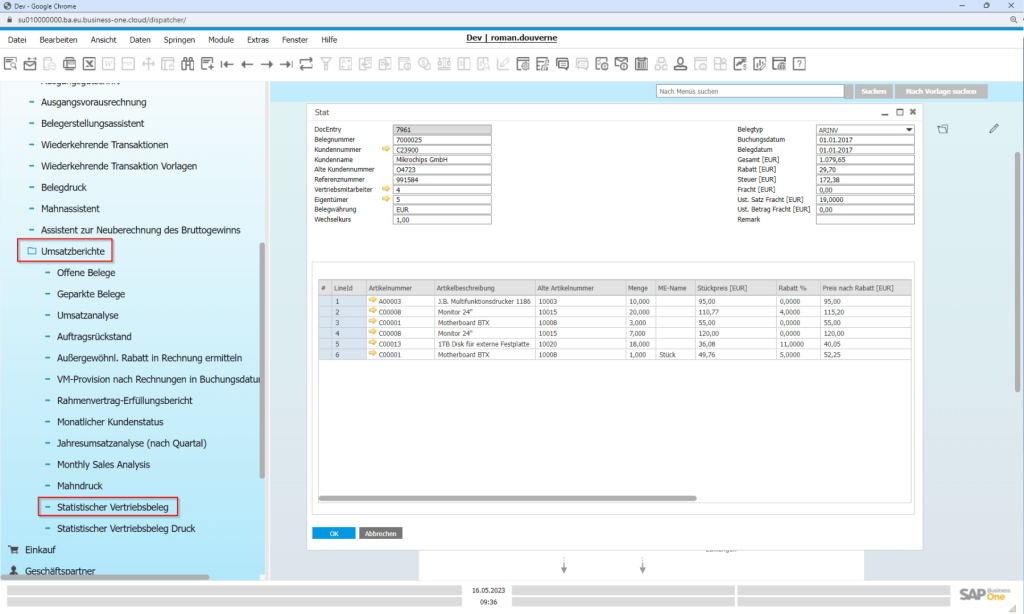
Statistical documents can be imported into the SAP Business One Cloud, then viewed directly in SAP Business One and reported together with new sales documents.

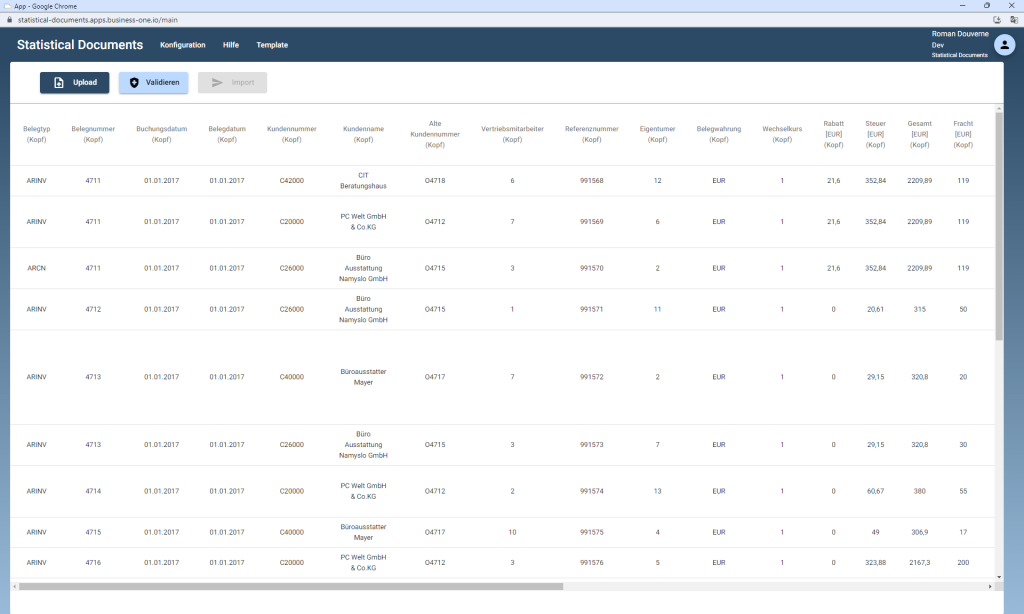
A complete data record includes the following header information.:
- Document type: Off
- Document number: Booking date
- Date of receipt
- Customer number
- Customer name
- Old customer number
- Reference number
- Sales representative
- owner
- Currency
- exchange rate
- Discount [EUR]
- Tax [EUR]
- Total [EUR]
- Freight [EUR]
- VAT rate for women
- VAT amount F
- Remarks
The data transfer occurs at the line item level, ensuring that statistics are retained not only for customers but also for items (including the old item number). The following information can be imported at the line item level:
- Article number
- Item description
- Old article number
- Crowd
- ME name
- Unit price [EUR]
- Price after discount [EUR]
- Discount %
- Total line [EUR]
- VAT rate
- VAT amount [EUR]
- Free text
The old documents contain tax-relevant information and must remain archived in accordance with the principles of proper accounting.
Statistical evidence is for internal use only.