
Get in touch
Arzu Torcuk
distribution
Phone: +49 7191 34 55 354
Mobile: +49 160 99538999
Email: arzu.torcuk@conesprit.de















With SAP Business One and our extension Mobile warehouse management Digitize your warehouse management – from inventory control and order picking to stocktaking.

The direct connection between mobile data collection and ERP system ensures you always have an overview – all bearing movements land automatically, paperless and in real time within the system.
Our browser-based solution runs Platform-independent on any mobile device Whether using a handheld scanner, tablet, or smartphone, you can manage storage locations individually, record movements in real time, and plan and conduct inventories.
As an experienced SAP partner We accompany you from implementation to daily use. We adapt the system to your processes, train your employees, and support you in optimizing your warehouse logistics – so that everything runs smoothly.
Feel free to contact us! Together we will develop a solution that Your warehouse management efficient, transparent and future-proof.
Maximum order, minimum space: Utilize storage space efficiently with a flexible storage structure, multiple levels and freely definable storage location codes.
Scan instead of typing: Incoming goods, outgoing goods, and inventory counts are processed digitally and in real time. Directly in the browser on Android, Apple, or Windows devices.
Inventory lists can be processed individually for each warehouse.
Complete tracking of all items – secure, traceable, and legally compliant.
Minimal search times and targeted picking increase speed and efficiency in everyday warehouse operations.
Role-based access control, intuitive operation, multilingual user interface – so everyone in the team can get started right away.
All goods movements – from goods receipt to inventory
Organize your warehouse with our mobile warehouse management system for SAP Business One. structured, multidimensional and flexible.
All goods movements – from goods receipt to inventory – are recorded directly on mobile devices and synchronized with the ERP system in real time.
The result: maximum overview, lean processes and a warehouse that thinks for itself.
A barcode provides employees with instant information about available quantities, storage locations, and batch or serial numbers. Conversely, a scan of the storage location reveals its complete occupancy.
New goods are recorded using a barcode: Scan the item, warehouse, or specific storage location, confirm the quantity, and you're done. If the goods receipt is based on a purchase order, the employee accesses the order directly on their device, is guided step by step, and SAP Business One automatically posts the document and closes the order.
Whether individual items or entire pallets, simply scanning the item, quantity, and source and destination storage locations is sufficient. Bookings are made in real time; transfers across warehouses or storage locations are also possible.
Open picking lists are transferred to the handheld device and can be filtered by status. Route-optimized lists, collective or free picking ensure short routes and take expiration dates, batches, and serial numbers into account.
Material supplies are booked directly from the production order as output for production; completion reports including remaining quantity suggestions and expiration date entries run back into the ERP system.
Photos can be taken during goods receipt or picking and automatically saved on the corresponding receipt – providing complete proof in the event of transport damage, queries or complaints.
The shipping interface transfers delivery note information to service providers, prints shipping labels, and generates tracking IDs. Recipients receive automated shipping notifications.
Items can be frozen during counting, and multi-count lists prevent discrepancies. Guided, route-optimized count lists or free counting are available, and results are recorded immediately.
Incoming returns can be recorded freely or derived from existing documents. The mobile process creates the correct return shipment in the ERP system and ensures seamless inventory and value adjustments.
How mobile warehouse processes work in everyday life
A wholesaler of sports nutrition digitalizes its warehouse processes with SAP Business One and our extension for Mobile warehouse management – from delivery to inventory. The result: faster processes, fewer errors, and complete transparency.
Conclusion:
The mobile processes enabled the company to reduce its processing times. significantly shorten and get a Complete transparency Secure all bearing movements.
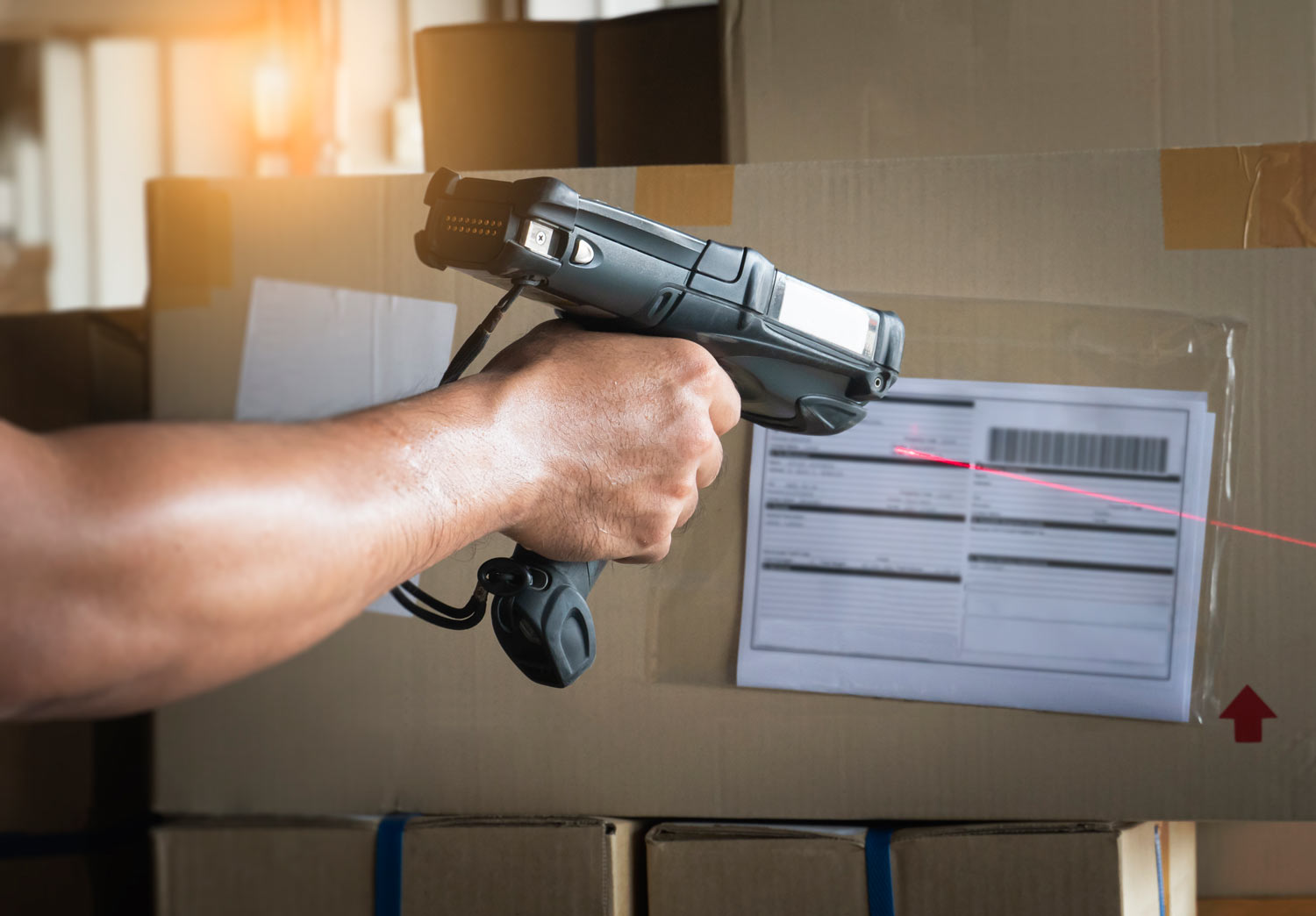
Incoming goods are scanned quickly and accurately. Serial numbers, batch numbers, and quantities are directly entered into the system. Labels with all relevant data are printed automatically, ensuring clear, traceable identification and rapid storage.
With just a few scans, goods are transferred from receiving to the shipping warehouse – traceable and recorded in real time. Serial numbers, batches, and storage locations can be directly captured and processed via mobile data entry (MDE) handhelds. This ensures you always have a clear overview of inventory and movements.


Picking lists are transferred to the mobile device in an optimized manner, allowing employees to follow the shortest route through the warehouse. Returns can be recorded and restocked directly.
Inventory lists are planned for each warehouse. The system automatically displays due counts, and results are captured and recorded via mobile devices. Counts are performed using mobile data entry devices, serial numbers, and batch numbers. Storage locations are automatically recorded. The system processes the data in real time, detects discrepancies, and records the results directly.

Don't you believe it? Then try it now!
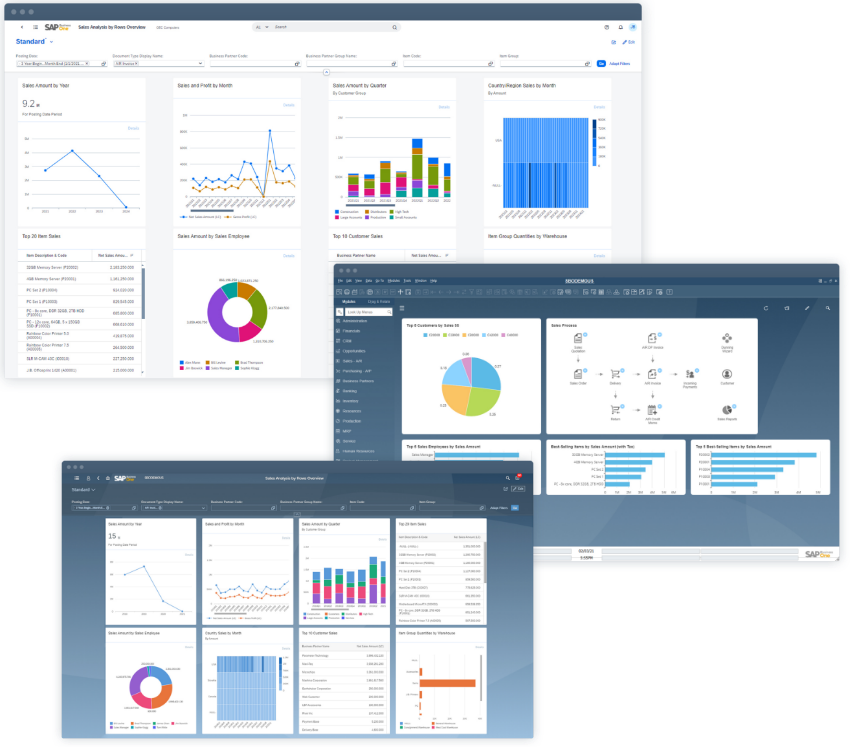
So that the mobile warehouse management For everything to run smoothly, careful preparation is needed – both technically and organizationally. We ensure that SAP Business One is optimally configured. Your warehouse structure It is coordinated and works reliably from day one.
At the outset, we will jointly analyze whether your technical equipment is ready for mobile use. This includes, among other things, stable Wi-Fi coverage throughout the entire warehouse, suitable end devices (e.g., mobile data entry devices or smartphones with Bluetooth scanners), and, if necessary, label printers for on-site labeling.
Depending on your needs, we will work with you to define which extensions will be integrated – for example, route optimization, digital inventory counting, or expiration date management. The use of label printing or shipping modules will also be agreed upon in advance. This ensures that only what truly suits your business is implemented.
Together, we'll determine how many employees work with SAP Business One and the mobile solution. These factors influence not only the range of functions, but also the project scope and ongoing costs.
The system is tailored to your warehouse processes: storage locations, master data for items, and, if applicable, expiration date logic are adapted. It also ensures that processes such as goods receipt, relocation, or order picking can be handled directly via mobile devices.
After successful configuration, a test run is conducted under real-world conditions. Simultaneously, your employees receive practical training tailored to their roles and warehouse processes. The system then goes live, including support and assistance during the initial phase.
Your individual requirements can also be taken into account. For this purpose, we have a Price list – so you can understand exactly, which additional costs you might incur.
Thanks to our Cloud The entire ERP solution is hosted on-demand. Maintenance and support are included. included in the monthly rent.
More efficiency for your warehouse logistics
With SAP Business One you create a central platform For your warehouse processes – through supplementary modules and direct connections, the solution can be precisely tailored to your requirements.
So connect They integrate mobile processes, shipping and external systems into a seamless, digital process.
Extensions for warehouse functions
Digital packing table
Automated packing process based on picking lists – including real-time synchronization with ERP and shipping service providers.
Pallet management
Management of Colli and handling units including NVE marking – for greater overview and control of goods receipt and dispatch.
Charge carrier exchange
Overview of all pallets and load carriers used with direct link to delivery notes.
Label printing
Automated generation of warehouse or shipping labels directly from the system.
Extension for quality assurance
Define audit reports – for purchased items as well as production items (finished or semi-finished parts)
Specify batch sizes to be checked per item
Conduct quality checks upon completion – semi-finished or finished parts can be inspected upon completion and the results documented in a test report
Expansion for production
Assign and execute production orders to employees
Remove components and book completion, including scrap notification
View information on the BOM structure, work processes and required resources
Access and use production drawings
Check and display material availability
Documenting production inputs with images and text.
Increase production capacity during shift preparation
Traceability: Tracing used batches and serial numbers
Connect SAP Business One with external applications – for maximum data consistency and seamless processes:
Open interfaces and a modular architecture allow you to manage your warehouse. expand at any time – digital, scalable and precisely tailored to your processes.



We get your team ready because our training programs are practical, proven, and efficient.
To ensure efficient use of SAP Business One in purchasing, you need not only the right solution, but also well-trained users. This is precisely where our practical Training to.
We provide the necessary know-how for a safe handling of the system – from the basics to material planning, order processing or invoice verification.
Whether beginner or advanced: Our training courses adapt to your team.
To make it easier for you to use SAP Business One, we offer free training materials.

Don't you believe it? Then contact us now.