



SAP Business One Cloud for production planning & control
SAP Business One Cloud offers small and medium-sized manufacturing companies across all industries an unparalleled range of functionalities. The solution was specifically developed to meet the demanding requirements of companies focused on discrete or batch production. The result is a flexible and seamlessly integrated software solution with a comprehensive feature set yet remains easy to use.

Table of contents
Designing finished and semi-finished products with bills of materials
Production orders organize the production process
Digitization optimizes warehouse management
Material requirements planning (MRP) identifies needs and avoids bottlenecks.
Inventory- or order-related production planning
Ensuring an overview in reporting
Integration of customer-specific BDE and MES systems via interfaces
Integrated solutions deliver advantages
SAP Business One Demo Version
Designing finished and semi-finished products with bills of materials
Bills of materials (BOMs) are quantitative representations of a product's components. Multi-level BOMs can be created in SAP Business One using assemblies as BOMs.
Multi-stage production processes can be subdivided into route segments that are traversed sequentially during production. For example, routes can be used to describe that production begins with the first route segment "Turning," followed by the second route segment "Milling.".
Bills of materials can also include resources (labor and machinery) as well as corresponding capacities. This information is taken into account in the overall capacity planning.
Furthermore, instructions for action can be included in parts lists in the form of texts.
In summary, a production bill of materials can be used to record items and quantities as well as the number of individual parts required, to assign resources and instructions, and to calculate a price for the finished product.

Production orders organize the production process
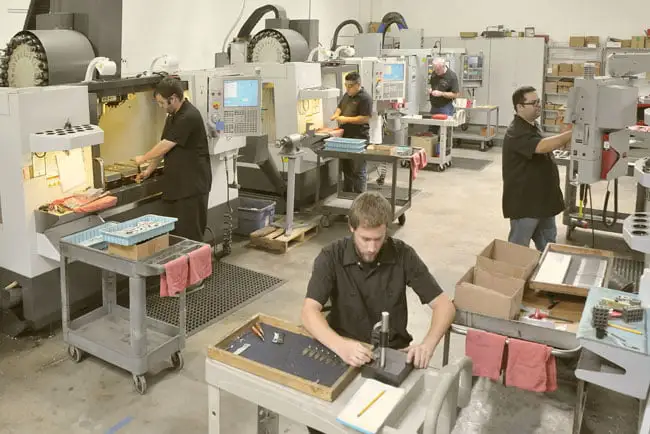
In SAP Business One, production can be planned, controlled, and monitored using production orders. Based on the planned production quantity, the necessary quantities of the required components are derived from the selected bill of materials.
Once a production order is released, the necessary components are reserved and resources are planned. Depending on the chosen production sequence, production then proceeds in several steps, utilizing labor and machinery. Upon completion, the actual quantity produced and any remaining stock are added to inventory, and any scrap is taken into account. Simultaneously, the components used are deducted from inventory.
Based on the production orders, the item costs for produced items are automatically calculated and stored in the item master data.
Schedule an online demoDigitization optimizes warehouse management
SAP Business One simplifies the management of detailed warehouse data, the optimization of storage locations, the control of stock movements, and the efficient execution of production orders. Product inventory, quantities in individual warehouses, movement histories, and stock flows are accessible from any workstation or mobile device (e.g., tablet or barcode scanner). Users have real-time access to information on goods movements and inventory levels, both in terms of quantity and value, enabling them to effectively manage their logistics.
The system synchronizes all inventory, order, and financial data and automatically evaluates every goods movement. Goods movements can be categorized as incoming goods, outgoing goods, and stock transfers. Barcodes and mobile devices support users in order picking processes, transfers of items between locations, and receipt from production.
SAP Business One enables the management of items by serial and batch numbers. Items received from suppliers and items from production are assigned the necessary serial or batch numbers. This allows for seamless traceability of installed components and provides precise knowledge of item costs.

Material requirements planning (MRP) identifies needs and avoids bottlenecks.
Material requirements planning (MRP) organizes the provision of individual parts to ensure timely production and delivery. In SAP Business One, MRP is performed using the MRP Assistant. Data sources for the assistant include bills of materials, inventory information, demand data from production and sales, and existing purchase orders. Furthermore, it is possible to control MRP using forecasts and minimum stock levels. Lead times, replenishment times, and lot sizes are also taken into account. MRP via the assistant allows for precise definition of which schedules, inventory levels, and data sources should be considered in the planning process and suggests, at specific times, the execution of production orders and purchase orders with the respective quantities.
In summary, the inventory management assistant helps reduce errors, inventory levels, and thus warehousing costs, as well as promoting just-in-time (JIT) processes. As a result, delivery schedules are met, which is reflected in increased customer satisfaction.
Inventory- or order-related production planning
Manufacturing companies plan production orders for sales items based on forecasts, minimum stock levels, and/or received orders. In the first two cases, the SAP Business One Planning Assistant supports the planning of production orders and the procurement of the required components. With order-related planning, every new customer order can be directly converted into a production order via the SAP Business One Procurement Assistant. A clear link between the customer order and the production order is visible at all times. The Planning Assistant then reveals which components need to be ordered for which production sites so that the planned production orders can be executed on time.
https://www.youtube.com/watch?v=2AxLD5QJX28&t=3s
Ensuring an overview in reporting
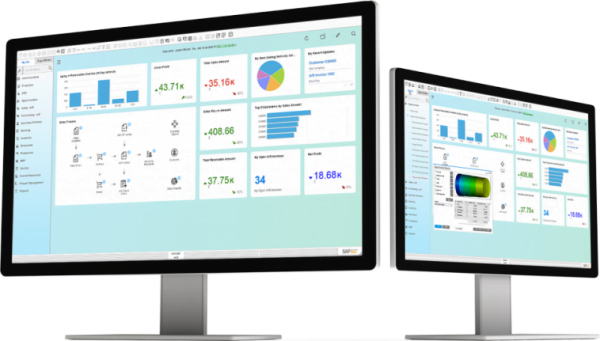
SAP Business One reporting encompasses reports for warehouse management, inventory control, and production planning. The information can be displayed in standard reports or dashboards. Detailed reports form the basis for fast and informed business decisions.
Examples of standard reports include:
- Stock Status/Available to Promise
- Inventory report
- Inventory booking list
- Open production orders
- Bill of materials report
- Missing items
- Order backlog
- Final prices
- Purchasing analysis
- Transaction report serial number/ Transaction report batch
The SAP HANA database enables analysis of large amounts of data in seconds.
Integration of customer-specific BDE and MES systems via interfaces
In production, systems for shop floor data acquisition (SFDA) or manufacturing execution systems (MES) are regularly used. These systems are usually adapted to local conditions and customer-specific manufacturing processes.
SAP Business One Cloud allows for easy integration of MES and BDE systems via API. This synchronizes item master data and bills of materials. Production orders are scheduled in SAP Business One and transmitted to the BDE or MES system via the API.
The following transactions can be exchanged via API, for example, to carry out the production process between SAP Business One Cloud and the on-site MES or BDE system:
- Production preparation steps:
Before production begins, items are removed from the warehouse using the transaction “Issue for Production”. - Production execution:
The released production order will be carried out. - Final steps:
The produced semi-finished and finished goods, as well as remaining quantities, are added to inventory via the "Incoming from Production" transaction. Scrap is taken into account.
Finally, the production order is completed with the transaction “Report completion”.

Integrated solutions deliver advantages
SAP Business One Cloud enables real-time access to warehouse information across all company locations and warehouses. Capturing detailed warehouse data and movements, for example using mobile devices, leads to more streamlined and transparent inventory management. Manual and therefore error-prone interventions are consistently avoided.
Based on customer orders and inventory information, the material requirements for complex, multi-stage production processes can be determined. The demand for necessary individual parts is derived from bills of materials. This allows material bottlenecks to be identified and resolved in a timely manner.
The actual production process is planned, controlled, and monitored using production orders. Production planning is carried out using production orders, taking resources and corresponding capacities into account. Customer-specific on-site MES and BDE systems can be connected to SAP Business One Cloud via a publicly accessible API.
In summary, SAP Business One Cloud streamlines warehousing and production processes, thereby reducing inventory costs and increasing productivity. The resulting transparency enables seamless documentation of all components used (traceability). Supply and production bottlenecks are identified and resolved, leading to adherence to agreed delivery dates and ultimately increasing customer satisfaction.